Free Level Editor, Steam Workshop, Masterclass and conductor career. In Early Access on Steam.
Become the conductor of the music you love.
Maestro VR is a VR rhythm game and orchestra conducting simulator: step onto the podium, take the baton and lead a full symphony orchestra. Tempo, dynamics, cues and fermatas follow your hands, and every gesture is scored to the beat. With the free Level Editor you are never limited to a fixed song list: conduct the classics, the music that moves you or your own compositions.
Conduct your own musicturn any MP3 into a playable concert with the free Maestro Level Editor — classical, film music or your own pieces.
Endless repertoiremasterpieces from Baroque to Modern, plus levels and full concerts created by the community on the Steam Workshop.
Real conducting techniquemotion controllers give you full precision: beat patterns with one hand, cues and dynamics with the other. Each hand is read separately and scored on every beat. Hand tracking is also available.
Masterclasslearn to conduct step by step — tempo, dynamics, cues, expression and accents — with an exam at the end of each lesson.
Concert Modebuild a programme of several pieces, perform it for a live audience and share it on the Steam Workshop.
Conductor careerrise from student to Maestro with experience, a talent tree, collectible batons with their own skills and the money behind every concert.
Concert halls with their own acousticsdifferent venues, capacities and audiences.
Comfort and accessibilityleft-handed mode, automatic height calibration, latency offset, adjustable gesture sensitivity and instant pause.
Built for performanceoptimised for SteamVR, with quality presets and manual graphics control.
Streaming readyOBS output with a stabilised head-mounted camera.
In Early Access and growing: Maestro VR is in active development, with new pieces, features and improvements arriving in regular updates. Join now and help shape the game with your suggestions and piece requests.
Level Editor: conduct your own music in custom levels
The Maestro Level Editor is a free virtual symphony orchestra for your PC and the level editor for Maestro VR. Load your music, seat every musician on stage, watch them play it in a real concert hall and turn it into a level you can conduct in VR.
Load your filesaudio (MP3, OGG or WAV, stems or one stereo mix), the MIDI and, optionally, the MusicXML and the score PDF for the music stand.
Build your orchestrachoose one of the 11 concert halls (one has a cinema screen for live film concerts) and the layout, and place each section, choir included, on stage.
Bring it to lifeSmart Animation animates the musicians from your audio, and with a MIDI every musician plays their part note by note, with tremolos, pizzicato and other articulations.
Create the gameplaySmart Tempo draws the conducting arrows, Smart Dynamics places the dynamics, and the Level Assistant tells you what is missing.
Conduct and shareplay it in Maestro VR and share it on the Steam Workshop so anyone with Maestro VR can conduct it.
For composers, arrangers and teachers: see and hear your music performed by a virtual symphony orchestra before it reaches a real stage. Discover the Maestro Level Editor.
Maestro VR is a complete simulation platform for music education. Developed in collaboration with prestigious music conservatories and universities, the program turns our software into a professional training tool for conducting students, orchestral repertoire study and music appreciation classes.
Conducting practice without an orchestrastudents rehearse beat patterns, cues and dynamics as many times as they need.
Your own repertoirewith the Level Editor, teachers can prepare any score or recording as a playable session.
Measurable progressprecision, tempo stability and cue accuracy are tracked for every rehearsal.
If you represent an educational institution and would like to integrate Maestro VR into your curriculum, contact us directly:
The Maestro VR game is a rhythm game and orchestra conducting simulator for virtual reality. You lead a full symphony orchestra with your gestures — tempo, dynamics, cues and fermatas — and with the free Level Editor you can conduct any music you want.
Can I conduct my own music in VR?
Yes. With the free Maestro Level Editor you turn your MP3 files (and, if you have it, the MIDI) into a level, then conduct it in Maestro VR. You can also publish it on the Steam Workshop for other players.
Can Maestro VR teach me how to conduct an orchestra?
Yes. The Masterclass teaches tempo, dynamics, cues, expression and accents step by step, with an exam in each lesson. Music schools also use Maestro VR through our educational program.
Do I need to know music to play?
No. Maestro VR is designed for everyone: the Masterclass teaches the basics from scratch, and music students and conductors can use it as real conducting practice.
What music can I conduct?
The included repertoire, from Baroque to Modern; the levels and concerts shared by the community on the Steam Workshop; and any music you prepare yourself with the Level Editor.
Which VR headsets are supported?
Maestro VR is a PC VR game for SteamVR and OpenXR. It supports Meta Quest 2, Quest 3 and Quest 3S (via Link), Valve Index, HTC Vive, Oculus Rift S, Pimax and other OpenXR headsets. You can play seated or standing.
Can I play Maestro VR with hand tracking?
Yes, as an option. Maestro VR is designed for motion controllers, which give the most precision, but you can also conduct with your bare hands using hand tracking on compatible headsets. It can be turned on or off in the settings.
What does Early Access mean for Maestro VR?
Maestro VR is in Early Access on Steam and in active development. The game is fully playable today, and regular updates add pieces, features and improvements based on player feedback.
Which languages is Maestro VR available in?
15 languages: English, Spanish (Spain and Latin America), French, German, Italian, Portuguese (Brazil), Russian, Polish, Turkish, Japanese, Korean, Simplified Chinese, Traditional Chinese and Arabic.




 Maestro VR – Official Trailer
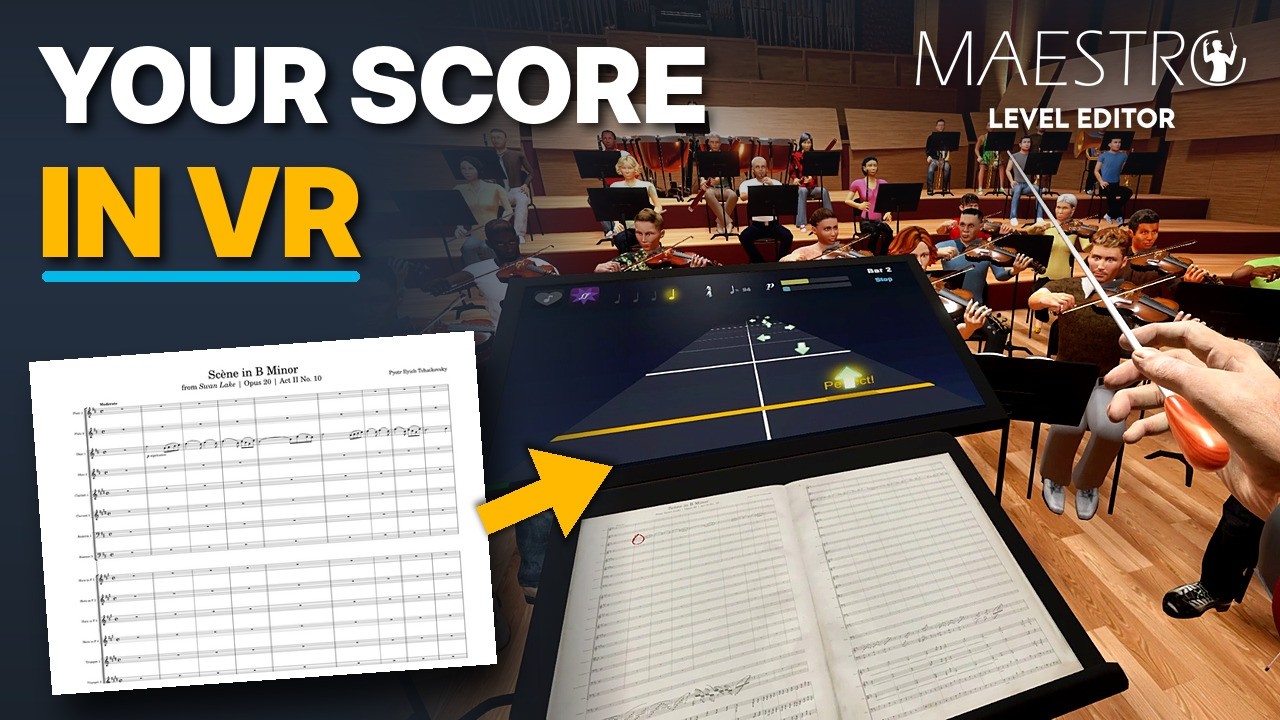 Maestro Level Editor – Tutorial: from MuseScore to VR